Overview
Use Playground commands to run row-range and column-block workflows on CSV files.
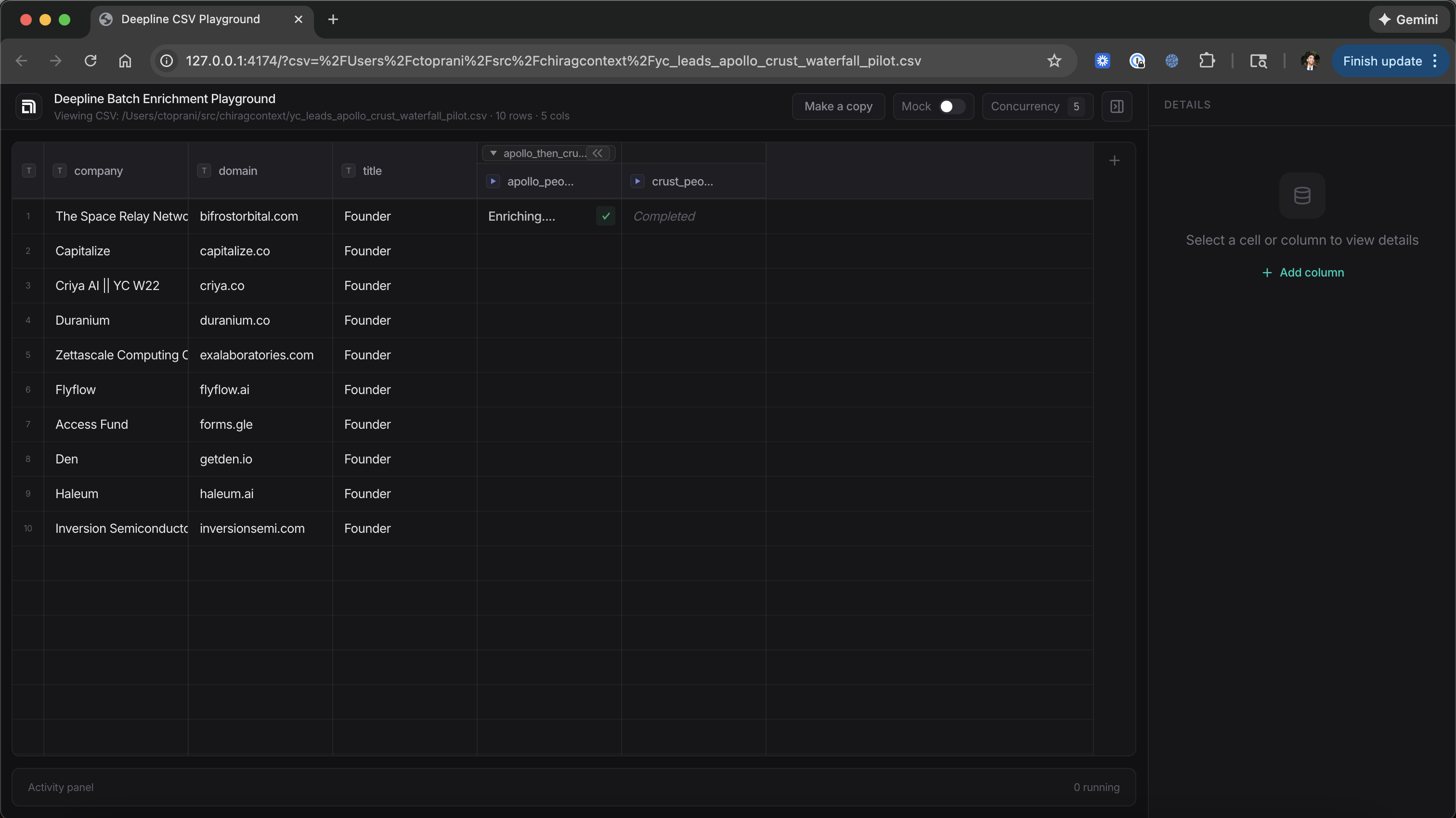
Use Playground for row-range and column-block execution on CSV workflows.
Command Signatures
deepline playground start --csv /path/to/file.csv --open [--install]
deepline playground stop --json
deepline playground status --json
deepline playground snapshot --csv /path/to/file.csv [--rows START:END] [--json]
deepline playground run-block --csv /path/to/file.csv --col N --row-start N --row-end N [--wait] [--wait-timeout SECONDS] [--immediate] [--dry-run] [--mock] [--json]
deepline playground stop-column --csv /path/to/file.csv --col N [--json]
deepline playground jobs get --csv /path/to/file.csv --ids <id1,id2> [--json]
deepline playground jobs wait --csv /path/to/file.csv --ids <id1,id2> [--wait-timeout SECONDS] [--poll-interval SECONDS]
Execution Flow
- Start a playground session for a CSV with
deepline playground start --csv ....
- Run a column block on row ranges with
deepline playground run-block --csv /path/to/file.csv --col N --row-start N --row-end N --json.
- Inspect or await job completion with
deepline playground jobs get ....
3a. Inspect a full run with deepline playground jobs wait ....
- Stop sessions or individual columns with
deepline playground stop or stop-column.

